 tidlet

Screenshot names you can actually search for.
macOS names every screenshot after the second you took it. ShotName reads what's in it, right on your Mac, and renames it after what it shows.
macOS 13 or later · Apple silicon & Intel · one key, 2 Macs
How it works
Three steps, most of them yours.
- Take a screenshot
The way you already do: ⇧⌘3, ⇧⌘4 or ⇧⌘5.
- ShotName reads it
Within a second or two, on your Mac, using Apple's built-in text recognition.
- Search finds it
The file is now called something like mail-acme-invoice-october.png, so Spotlight finds it by what it shows.
A closer look
The whole app, screen by screen.
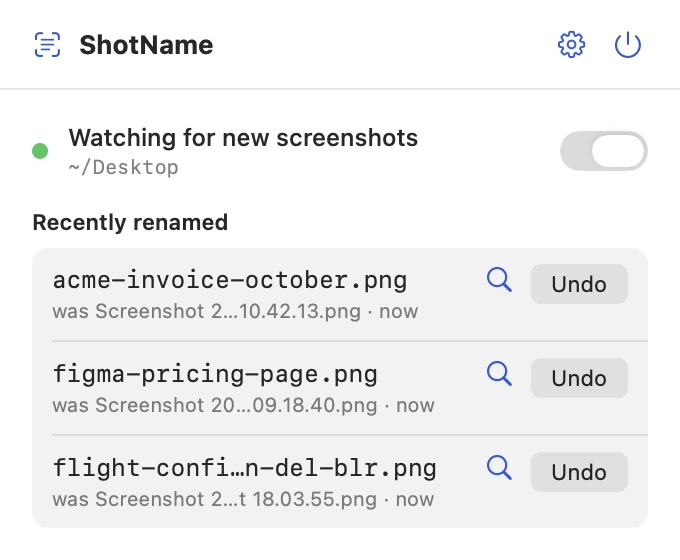
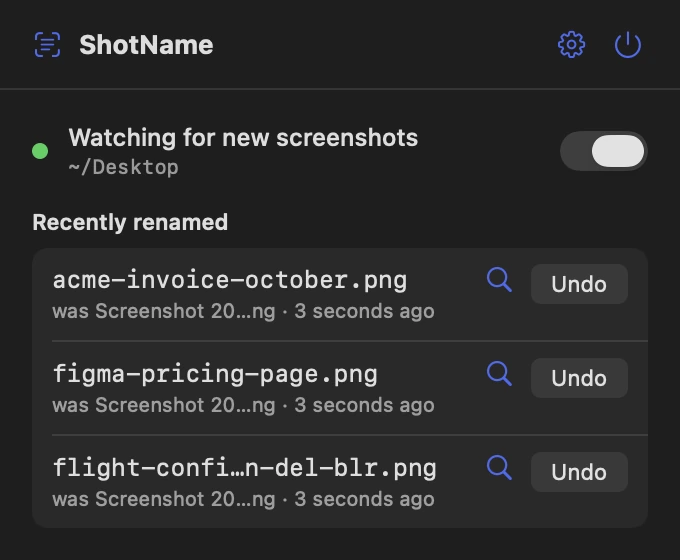
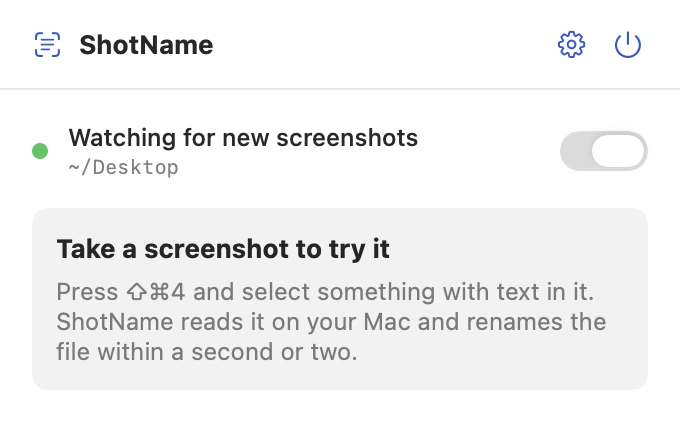
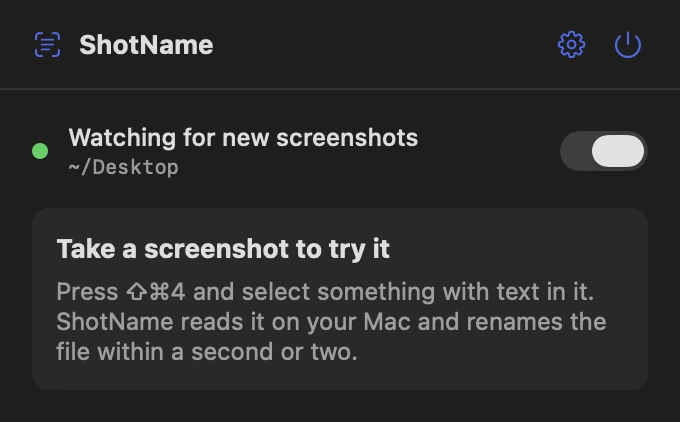
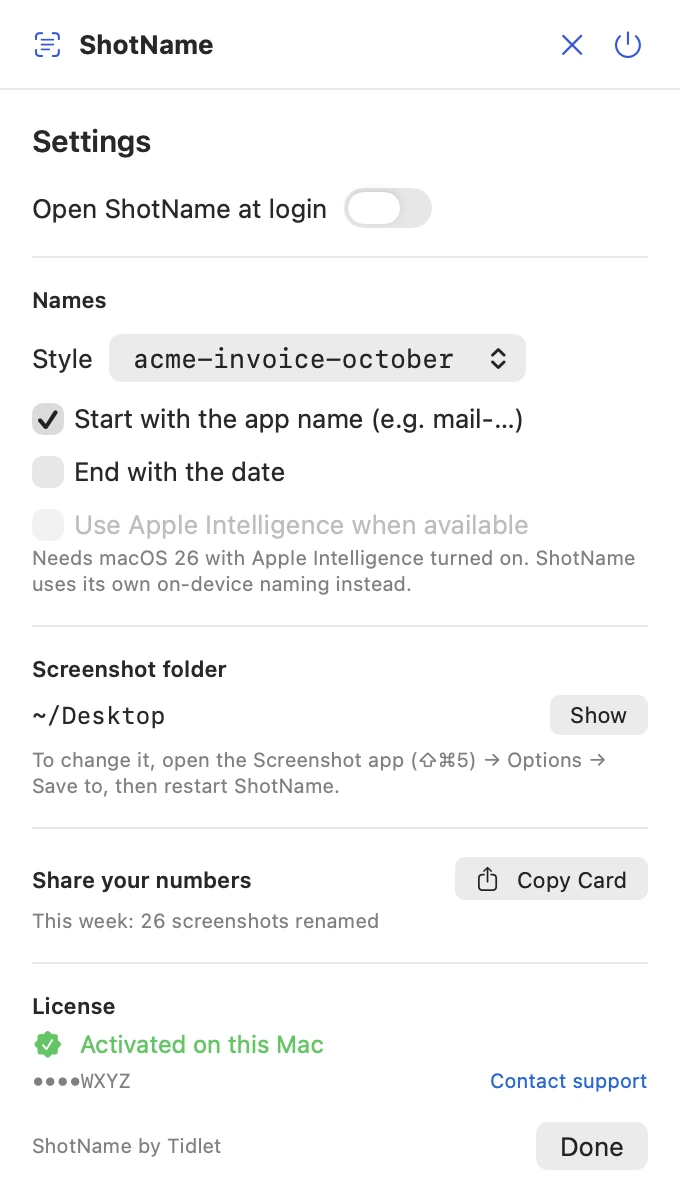
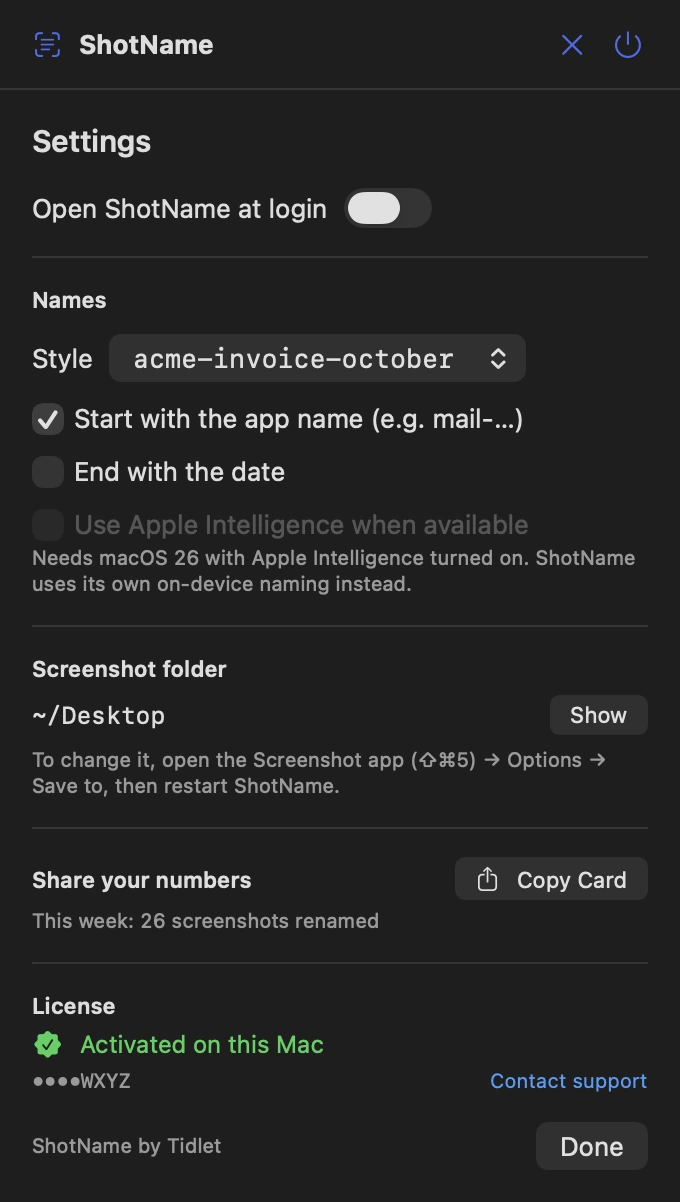
These are real screens from ShotName, in light and dark to match your Mac. In Tidlet they open from the Tidlet icon in your menu bar.
Every rename, listed
The panel shows recent renames with the old name underneath, and an Undo for each.
Quiet until you shoot
Turn watching on and forget about it. ShotName does nothing until a new screenshot appears.
Names the way you like them
Pick a style, put the app name first, add the date at the end, and use Apple Intelligence when it's on. There's also a card to share how many screenshots it has named.
Features
Everything it does.
The full list fits on one screen.
Renames as you shoot
Take screenshots the way you already do. A second later the file has a real name.
Read on your Mac
Apple's built-in text recognition does the reading, plus Apple Intelligence on macOS 26 when it's on.
Your naming style
acme-invoice-october or Acme Invoice October, with the app name first and the date at the end if you like.
Always reversible
Every rename can be undone, and the original name stays with the file.
Only new screenshots
Screenshots taken while ShotName runs. It never touches your older files.
Follows your screenshot folder
It watches wherever macOS saves screenshots, as set in the Screenshot app.
Privacy
What ShotName sees, and what it sends.
The app has no analytics, ads or tracking. The full details are in our privacy policy.
What it reads
- The text in new screenshots, read on your Mac.
- The name of the app in front, if you turn on app-name-first.
What it sends
- Your license key, an activation ID and your Mac's name, to Dodo Payments, to check the key.
- Nothing else, ever.
What it never does
- Upload screenshots or the text in them.
- Send anything to an AI service.
- Track how you use it.
Price
$9one time, all 9 tools
- ShotName and 8 more tools in one app, Tidlet.
- One payment of $9. No subscription.
- A license key by email, for 2 Macs.
- Refund within 14 days if it doesn't work on your Mac and we can't fix it.
- Help by email at hello@tidlet.com.
Also in Tidlet: DeskClean, SnapPaste, CleanCopy, TalkShare, SlideFind, PasteMask, HushMic and ClapRemote.








System requirements
- macOS
- 13 Ventura or later
- Chip
- Apple silicon and Intel (universal)
- Download
- Tidlet.dmg · 5.5 MB, all 9 tools
- Version
- Tidlet 1.0.4
- Access
- Your screenshot folder. macOS asks once.
- Network
- License check only
- Apple Intelligence
- Optional. Used on macOS 26 when it's turned on.
- Before
- Screenshot 2026-10-07 at 10.42.13.png
- After
- mail-acme-invoice-october.png
Does it need Apple Intelligence?
No. With Apple Intelligence on (macOS 26) names get smarter. Without it, ShotName uses its own on-device naming, which works on macOS 13 and later.
Will it rename my old screenshots?
No. ShotName only renames screenshots taken while it's running.
Is it safe to download?
Yes. The app is signed with our Apple Developer ID and notarized by Apple, which checks it for malware before it can open on your Mac.
Can I buy ShotName on its own?
ShotName comes in Tidlet, one menu bar app with all nine Tidlet tools. $9 unlocks every one of them; switch on ShotName and leave the rest off if you like.
Is there a free trial?
Yes. Every tool works for 3 days from the first launch, with no key and no account. The trial runs on your Mac and sends nothing. After that the tools pause until you enter a license key. If Tidlet doesn't work on your Mac and we can't fix it, we refund you within 14 days.
How many Macs can I use it on?
One key activates Tidlet on 2 Macs. New Mac? Email hello@tidlet.com with your receipt and we'll free a slot.
ShotName and 8 more, $9.
No subscription.
One key unlocks every Tidlet tool, on 2 Macs.