 tidlet

Clean up your Desktop, or any folder, in one click.
DeskClean lives in your menu bar. Click it, see what's lying around in your Desktop, Downloads, Documents or any folder you pick, and put every loose file into its folder. Images, documents and installers by default, anything else by your own rules.
macOS 13 or later · Apple silicon & Intel · one key, 2 Macs
How it works
Three steps, most of them yours.
- Click the tray icon
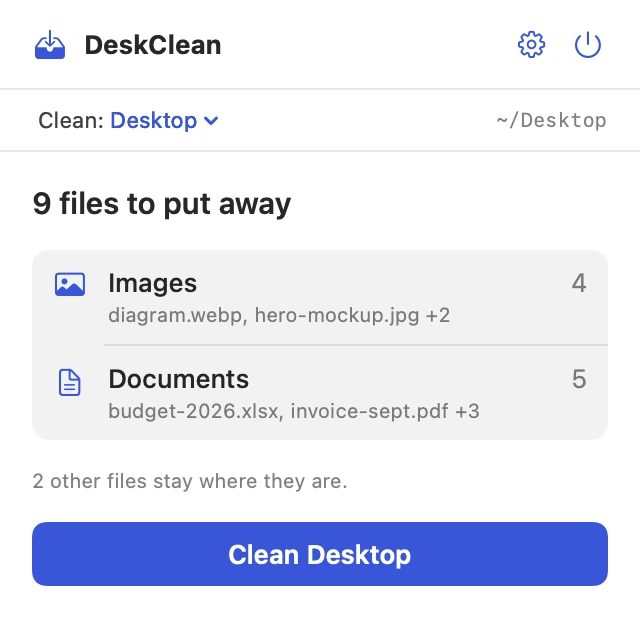
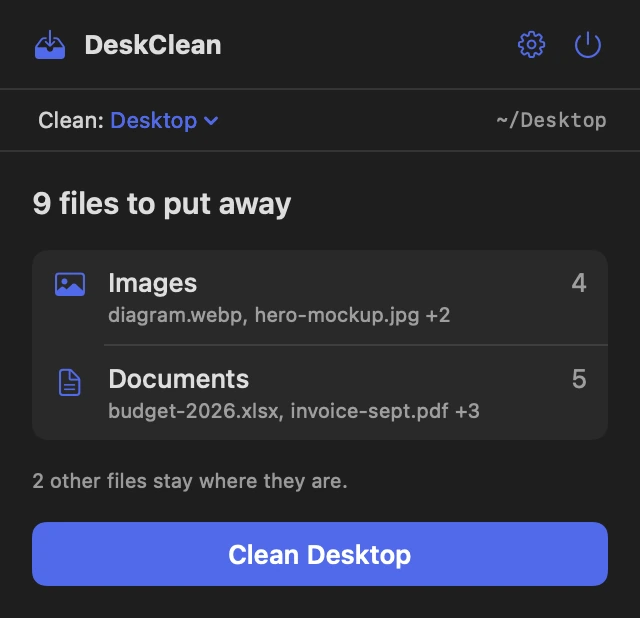
DeskClean counts what's lying around in the folder you chose (your Desktop until you say otherwise), grouped by rule, with real file names.
- Click Clean
Each file moves into its folder, inside the folder you're cleaning. Folders are created the first time they're needed.
- Changed your mind?
Undo puts every file back where it was, even after a restart.
A closer look
The whole app, screen by screen.
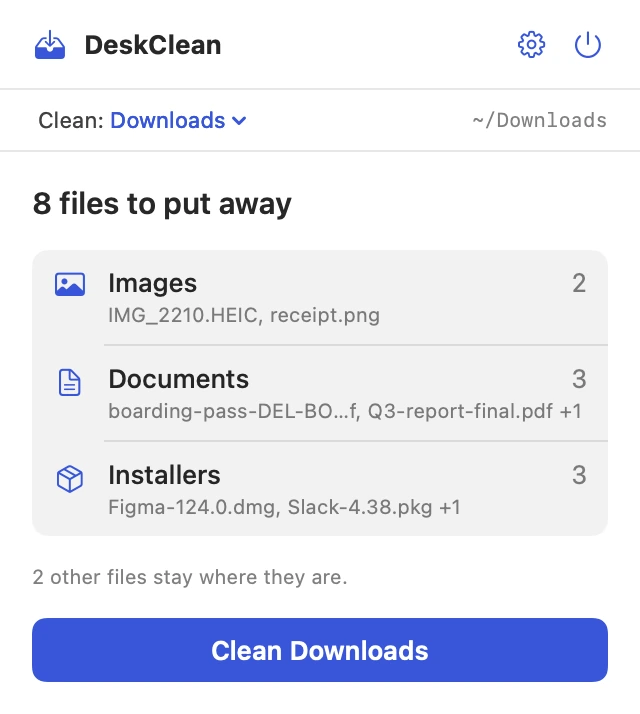
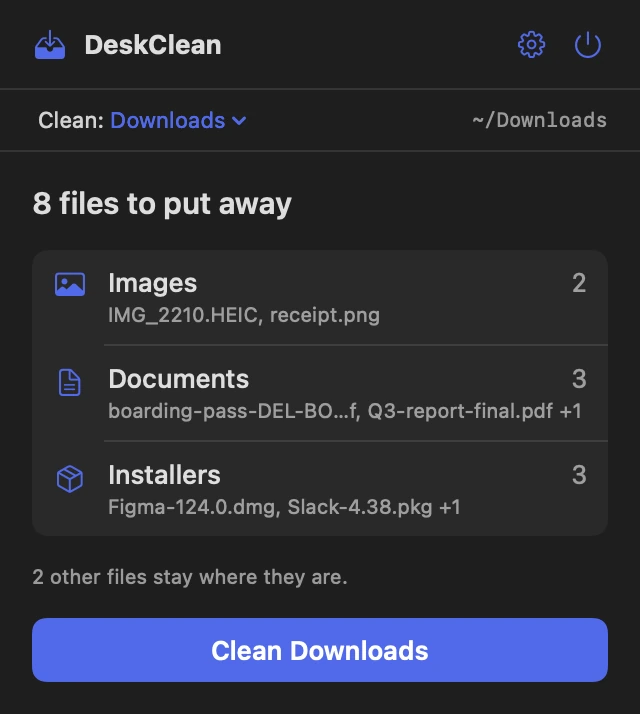
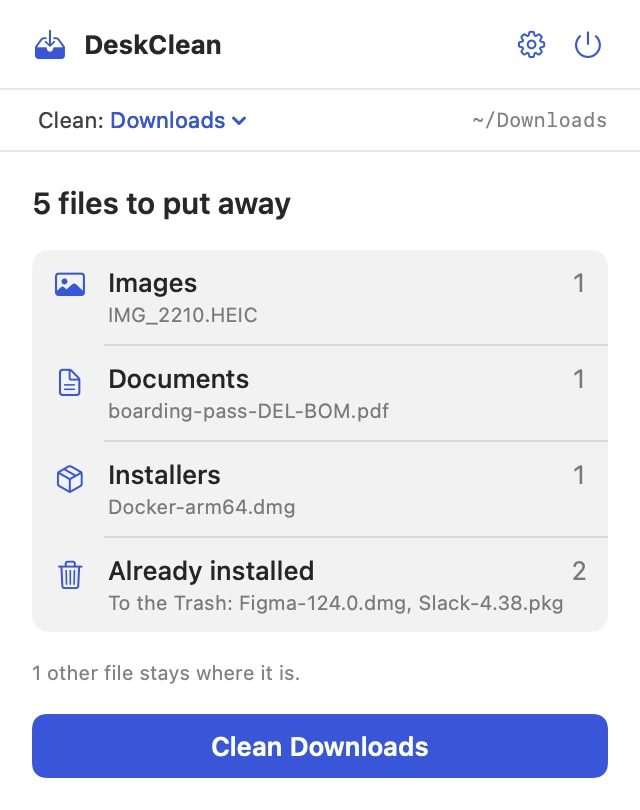
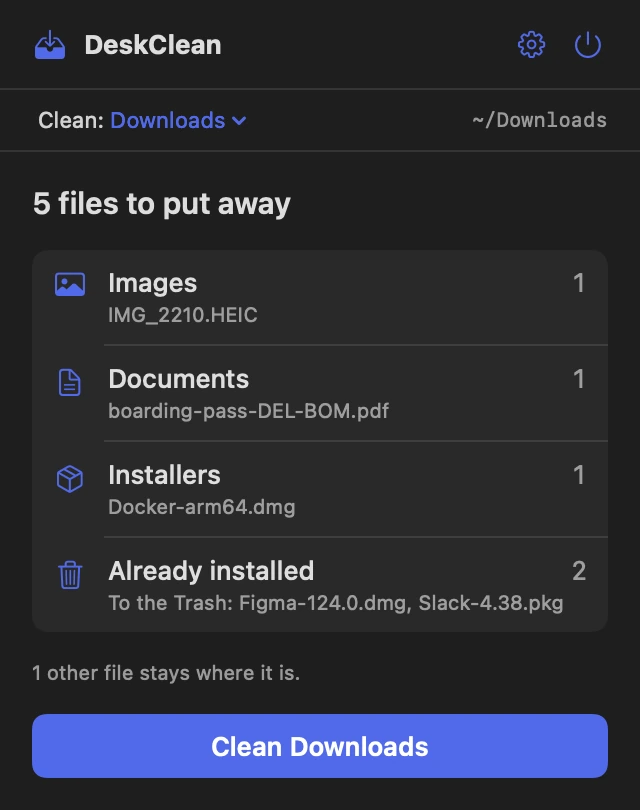
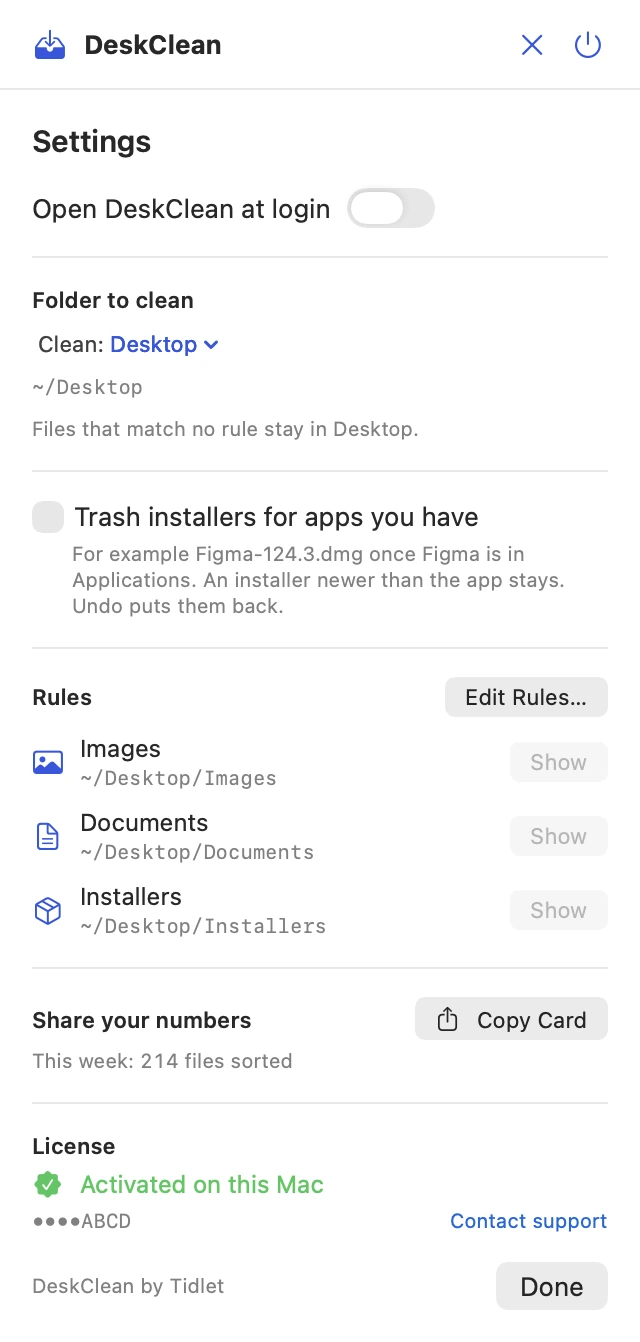
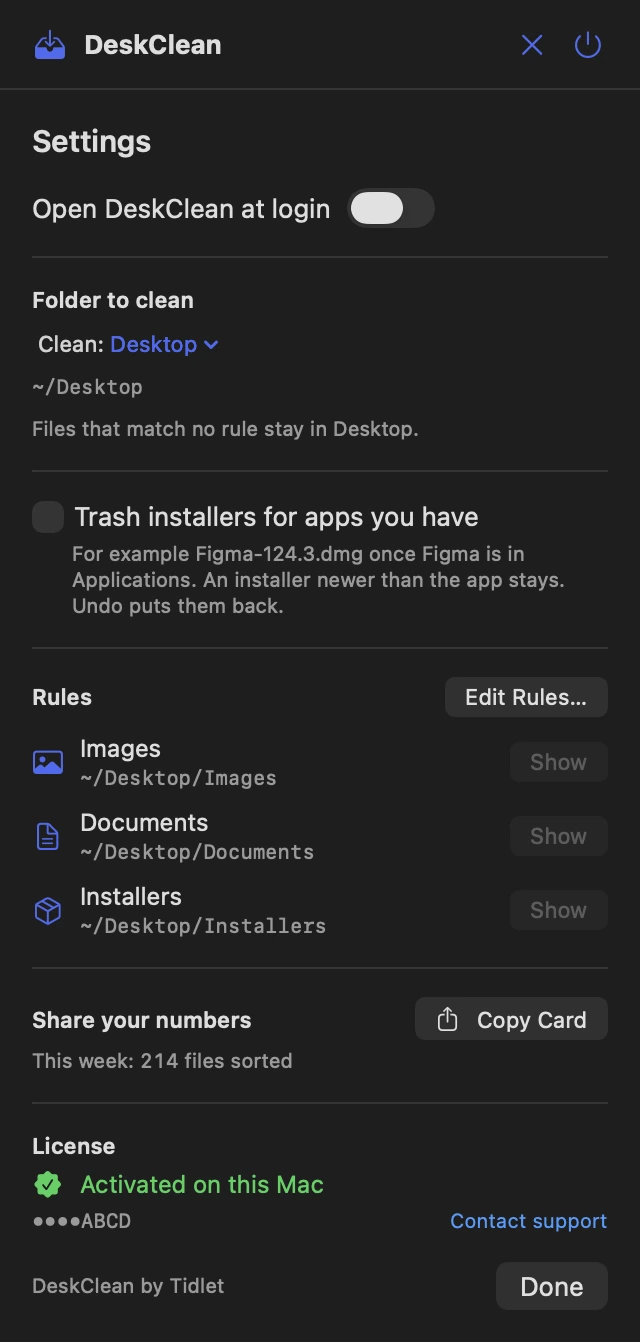
These are real screens from DeskClean, in light and dark to match your Mac. In Tidlet they open from the Tidlet icon in your menu bar.
Pick what to clean
Choose Desktop, Downloads, Documents or any other folder from the menu at the top of the panel. DeskClean remembers it, and the sorted folders are made inside it, like ~/Downloads/Installers.
See it before it moves
The panel lists every rule with a file count and the first few names, and tells you which files will stay where they are.
One click, one Undo
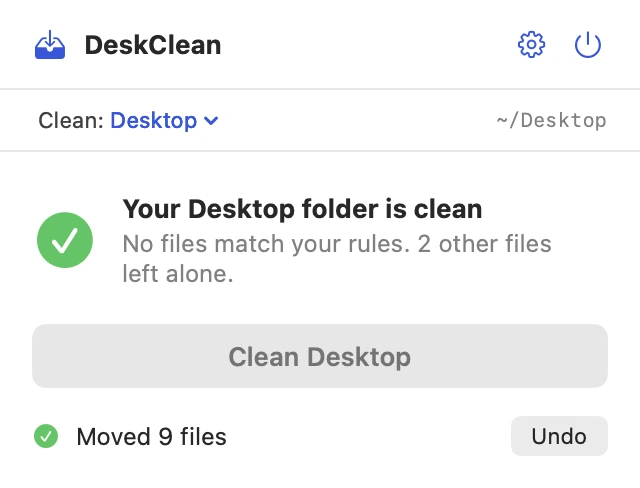
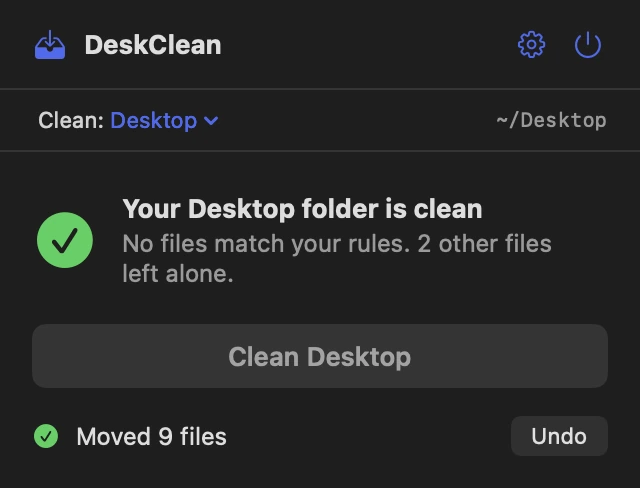
After a clean, the panel says how many files moved. Undo stays there until your next clean.
Rules you can edit
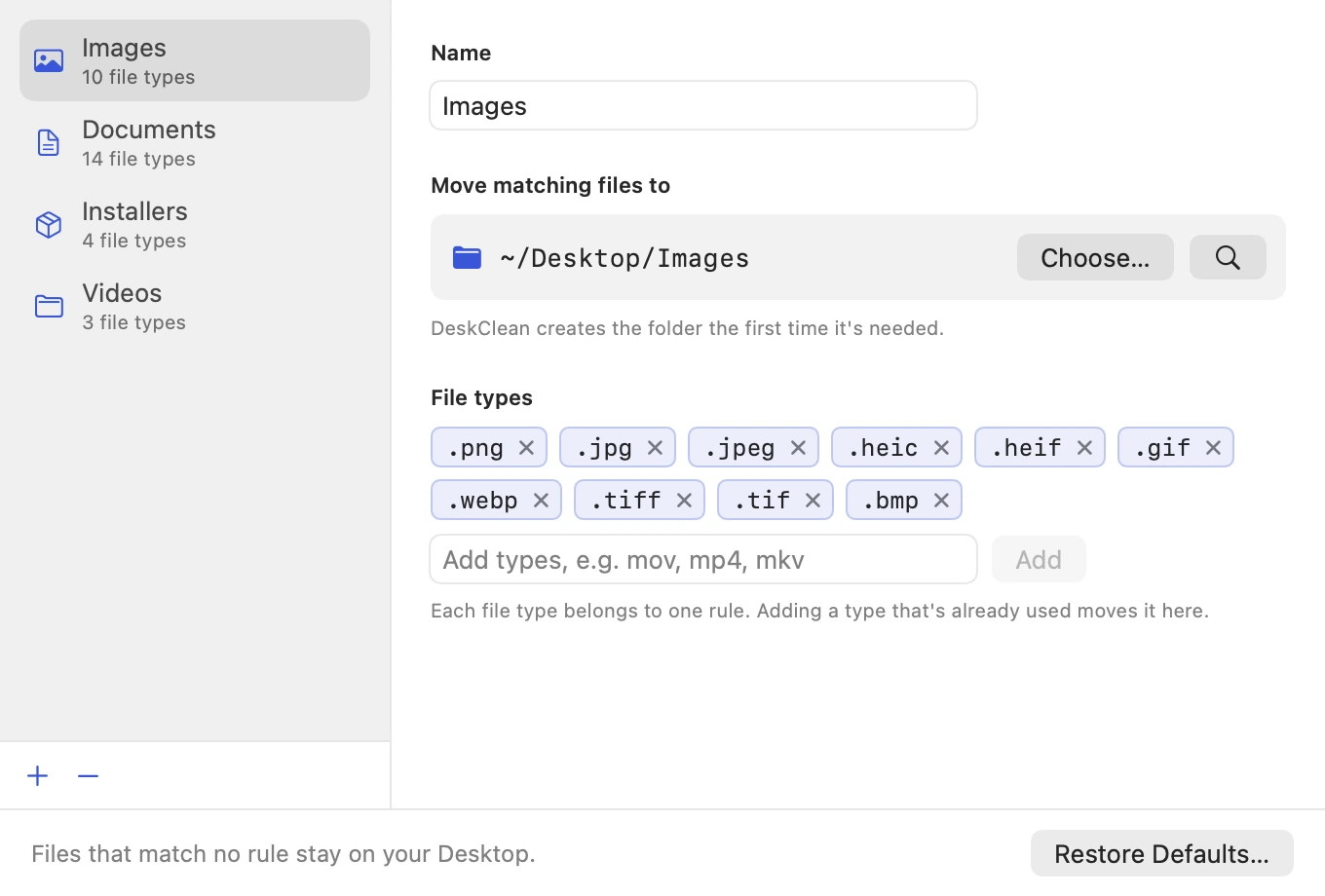
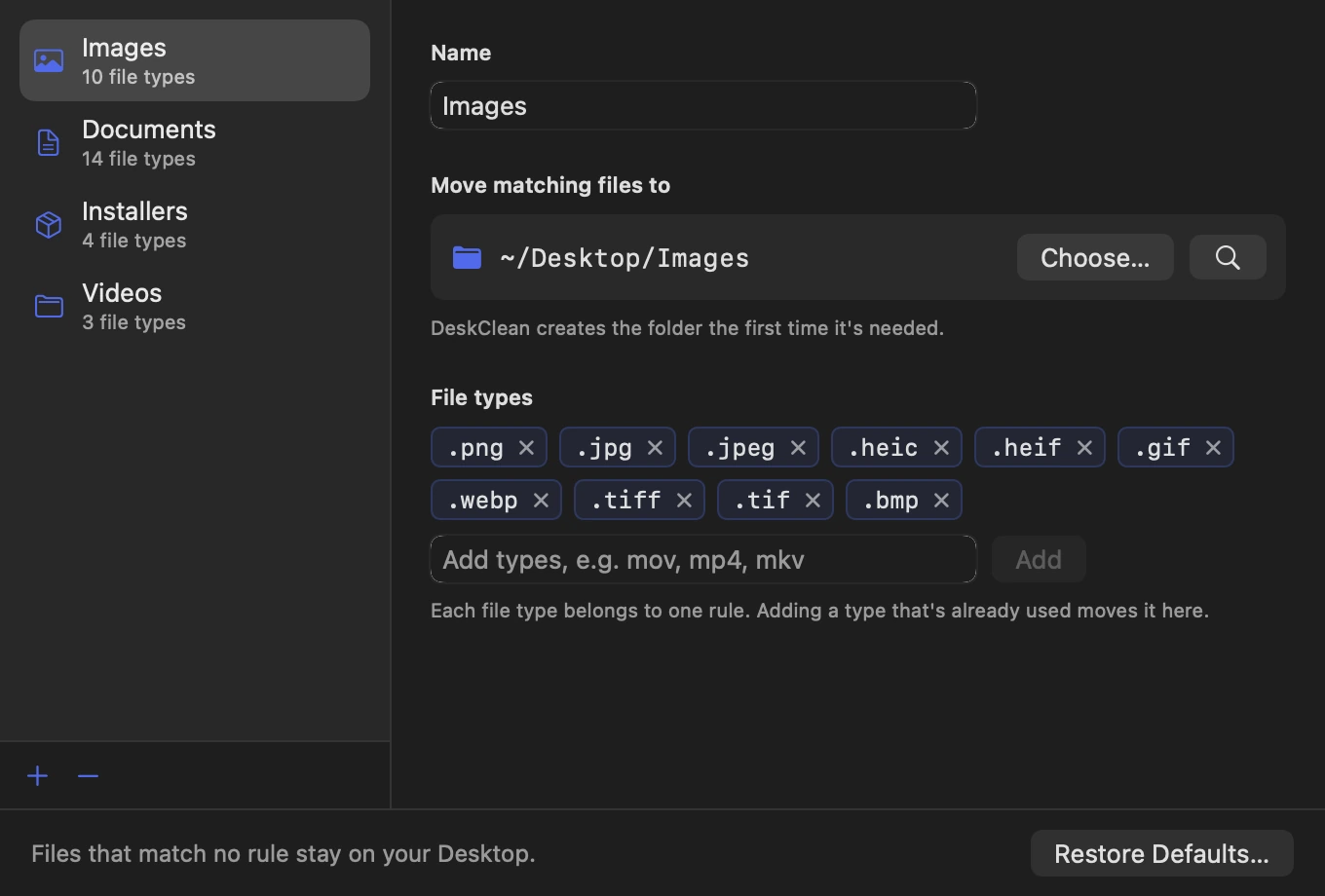
Add a rule, pick a folder anywhere on your Mac, and list its file types. Each type belongs to one rule.
Installers you've already used
Turn it on and a .dmg or .pkg for an app that's already in Applications goes to the Trash instead of the Installers folder. An installer newer than the app stays, in case it's an update. Undo brings them back.
Settings on one screen
Open at login, the folder to clean, the installer option, your rules and where they go, a card to share how many files you've sorted, and your license. That's all of it.
Features
Everything it does.
The full list fits on one screen.
Any folder, your rules
Clean your Desktop, Downloads, Documents or any folder you pick. Send any file type to any folder: videos to ~/Movies, zips to an Archives folder, whatever your system is.
Never deletes, never overwrites
Files are only moved. If a name is taken, the new one becomes “invoice 2.pdf”.
Undo, even tomorrow
One click puts every file back where it was, even after a restart.
Leaves the rest alone
Folders, apps, aliases and files no rule covers stay exactly where they are.
Lives in the menu bar
No Dock icon and no window to manage. It's there when the folder gets messy.
Clears out used installers
Optional: installers for apps you already have go to the Trash, never deleted, and Undo brings them back.
Privacy
What DeskClean sees, and what it sends.
The app has no analytics, ads or tracking. The full details are in our privacy policy.
What it reads
- The names and types of files in the folder you chose to clean.
- Your rules and your folder choice, stored on your Mac.
What it sends
- Your license key, an activation ID and your Mac's name, to Dodo Payments, to check the key.
- Nothing else, ever.
What it never does
- Upload your files or their names.
- Delete a file. Installers it clears go to the Trash, only if you turn that on.
- Track how you use it.
Price
$9one time, all 9 tools
- DeskClean and 8 more tools in one app, Tidlet.
- One payment of $9. No subscription.
- A license key by email, for 2 Macs.
- Refund within 14 days if it doesn't work on your Mac and we can't fix it.
- Help by email at hello@tidlet.com.
Also in Tidlet: ShotName, SnapPaste, CleanCopy, TalkShare, SlideFind, PasteMask, HushMic and ClapRemote.




System requirements
- macOS
- 13 Ventura or later
- Chip
- Apple silicon and Intel (universal)
- Download
- Tidlet.dmg · 5.5 MB, all 9 tools
- Version
- Tidlet 1.0.4
- Access
- The folder you clean. macOS asks once per folder.
- Network
- License check only
- Images
- .png .jpg .jpeg .heic .heif .gif .webp .tiff .tif .bmp
- Documents
- .pdf .doc .docx .pages .txt .rtf .md .csv .xls .xlsx .numbers .ppt .pptx .key
- Installers
- .dmg .pkg .mpkg .iso
Does DeskClean upload anything?
No. It only reads file names and types in the folder you chose (your Desktop, Downloads, Documents or another folder) and moves files on your Mac. The only network request is the license check.
Where do the folders go?
Inside the folder you're cleaning. On the Desktop that's ~/Desktop/Images, ~/Desktop/Documents and ~/Desktop/Installers; for Downloads it's ~/Downloads/Images and so on. You can point any rule at any folder.
Can it clean Downloads?
Yes. Choose Downloads, Documents or any folder from the menu at the top of the panel. It cleans one folder at a time, only the loose files directly inside it, and folders are left alone.
Can it get rid of installers I've already used?
Yes, if you turn on “Trash installers for apps you have” in Settings. A .dmg or .pkg goes to the Trash when an app with the same name is in Applications and was installed after you downloaded it. Names have to match: Figma-124.dmg matches Figma, but DeskClean won't guess that VSCode-darwin.dmg is Visual Studio Code.
Is it safe to download?
Yes. The app is signed with our Apple Developer ID and notarized by Apple, which checks it for malware before it can open on your Mac.
Can I buy DeskClean on its own?
DeskClean comes in Tidlet, one menu bar app with all nine Tidlet tools. $9 unlocks every one of them; switch on DeskClean and leave the rest off if you like.
Is there a free trial?
Yes. Every tool works for 3 days from the first launch, with no key and no account. The trial runs on your Mac and sends nothing. After that the tools pause until you enter a license key. If Tidlet doesn't work on your Mac and we can't fix it, we refund you within 14 days.
How many Macs can I use it on?
One key activates Tidlet on 2 Macs. New Mac? Email hello@tidlet.com with your receipt and we'll free a slot.
DeskClean and 8 more, $9.
No subscription.
One key unlocks every Tidlet tool, on 2 Macs.