 tidlet
Paste your .env into Claude. The keys stay home.
Paste a .env, a config file or a log into ChatGPT, Claude or the terminal where Claude Code runs, and the keys in it go along. PasteMask masks them as you press ⌘V. Key names, quotes and URL structure stay, so the AI still understands the config, and your clipboard keeps the original.
macOS 13 or later · Apple silicon & Intel · one key, 2 Macs
How it works
Three steps, most of them yours.
- Copy as usual
A .env, a config file, a curl command with a token in it. PasteMask doesn't touch what you copy.
- Press ⌘V in an AI app
In ChatGPT, Claude, Perplexity, an AI site in your browser or a terminal, the secrets in the paste become sk_live_••••••••.
- Keep going
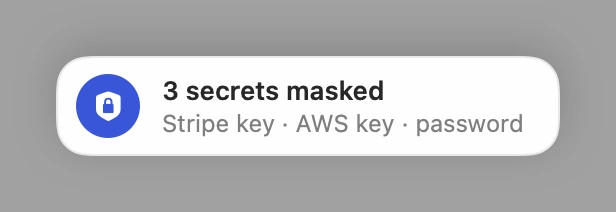
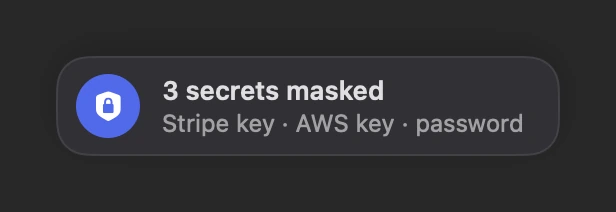
A notice says what was masked, like “3 secrets masked · Stripe key · AWS key · password”. 0.8 s later your clipboard holds the original again.
STRIPE_SECRET_KEY=sk_live_51Hq8T2xKfR
AWS_SECRET_ACCESS_KEY=wJalrXUtnFEMI/K7
DATABASE_URL=postgres://app:hunter2@db.internal:5432/acme
NODE_ENV=productionSTRIPE_SECRET_KEY=sk_live_•••••••• AWS_SECRET_ACCESS_KEY=•••••••• DATABASE_URL=postgres://app:••••••••@db.internal:5432/acme NODE_ENV=production
Why does checkout fail in production?
A closer look
The whole app, screen by screen.
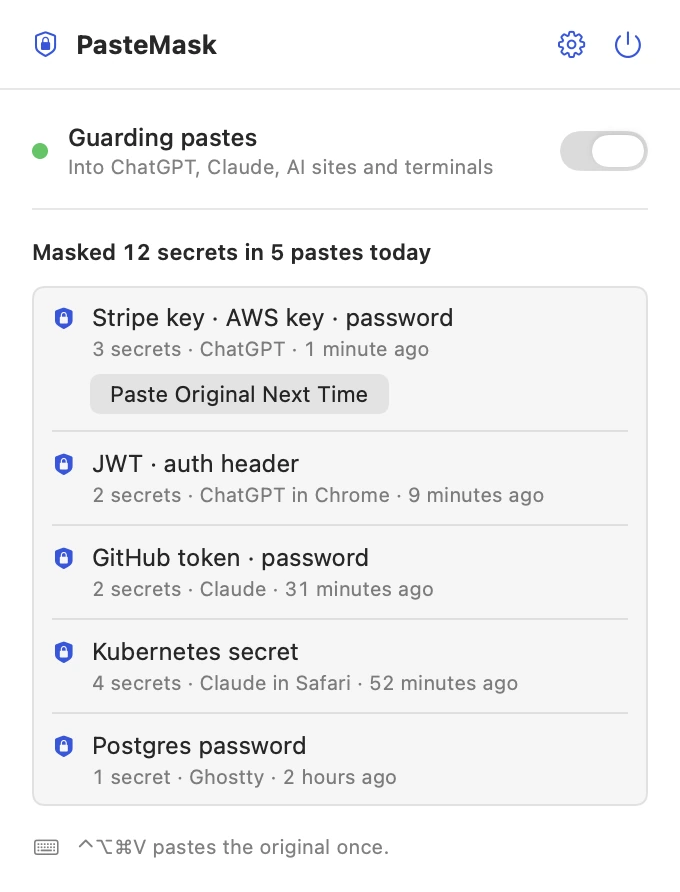
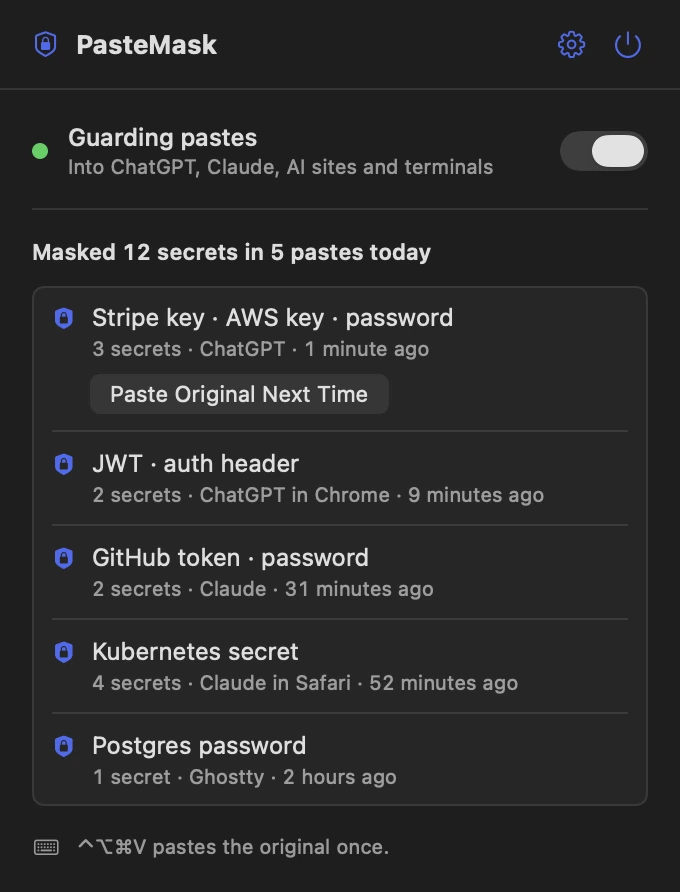
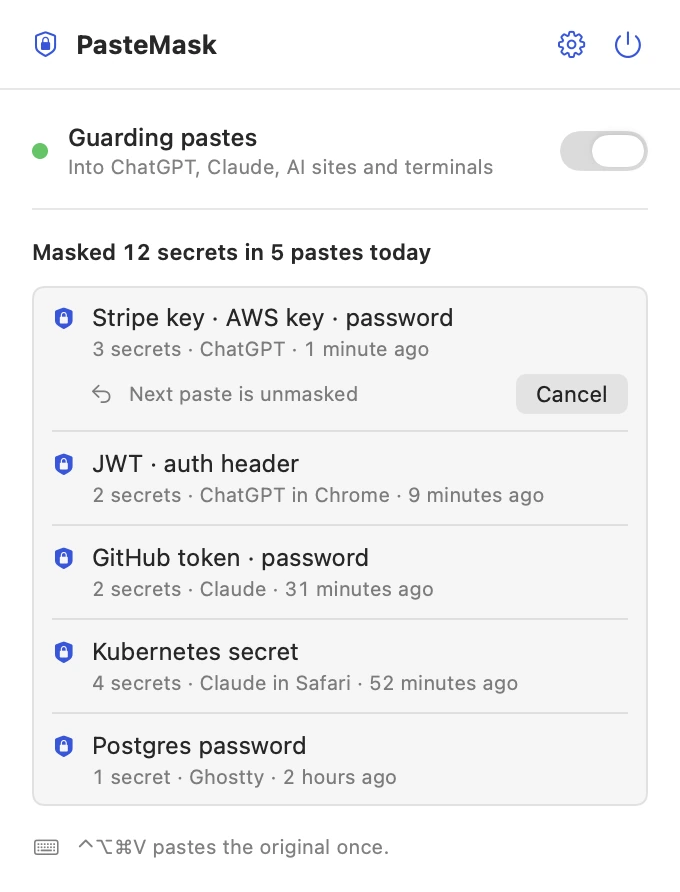
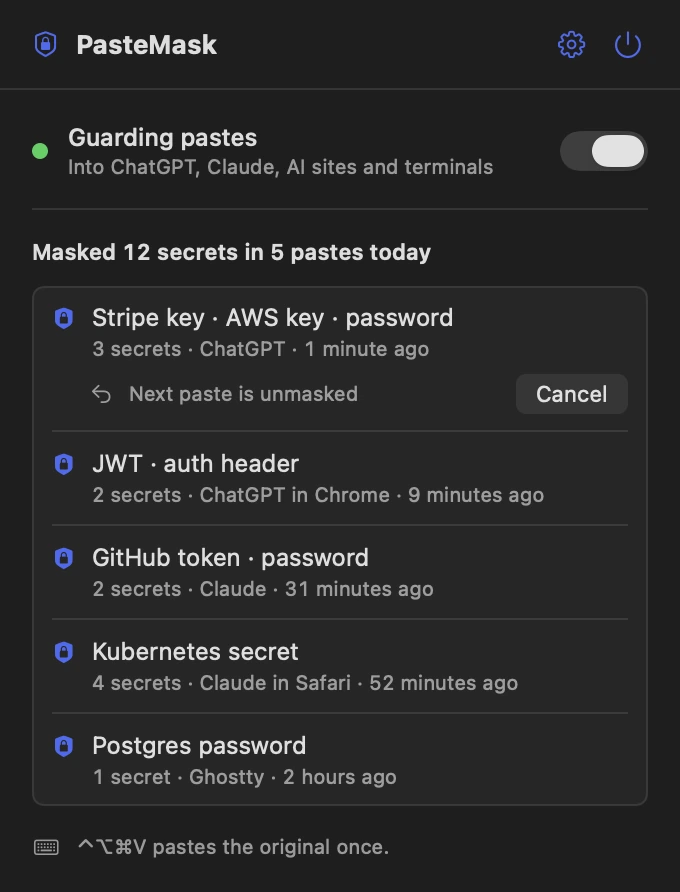
These are real screens from PasteMask, in light and dark to match your Mac. In Tidlet they open from the Tidlet icon in your menu bar.
Every masked paste, listed
The panel counts today's masks and lists the last five pastes: the kinds of secret, the app and the time. Never the text or the values.
A notice when it masks
Each masked paste shows a small notice with how many secrets it masked and which kinds, then gets out of the way.
The original, when you mean it
Click Paste Original Next Time, or press ⌃⌥⌘V, and your next paste goes through exactly as you copied it. Once.
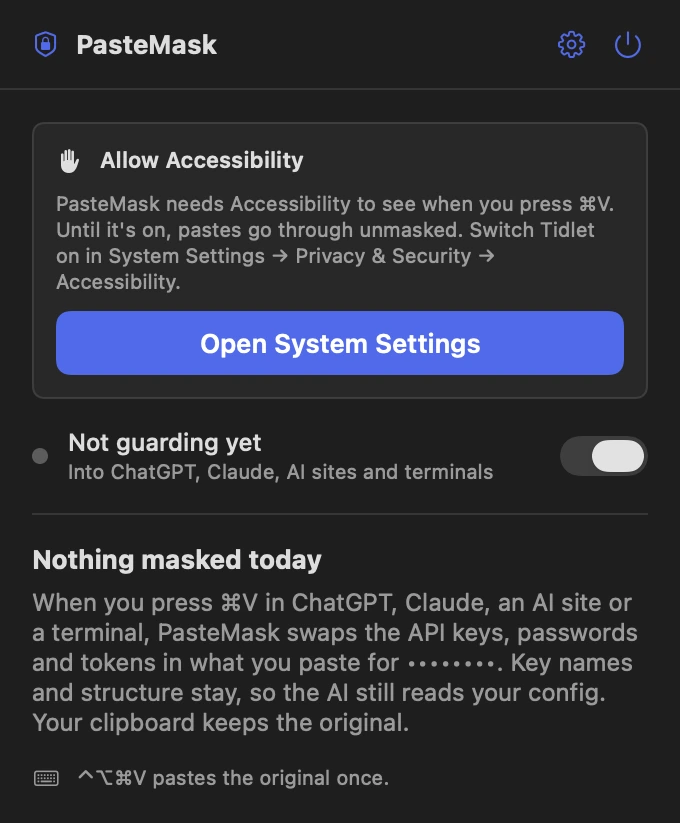
One permission, asked plainly
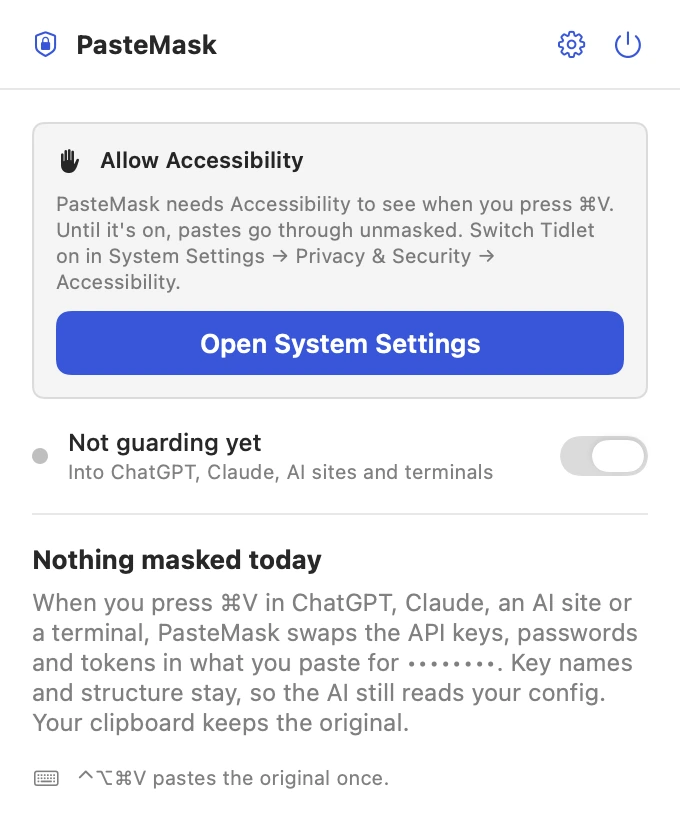
PasteMask needs Accessibility to see when you press ⌘V. Until it's on, the panel says so, and pastes go through unmasked.
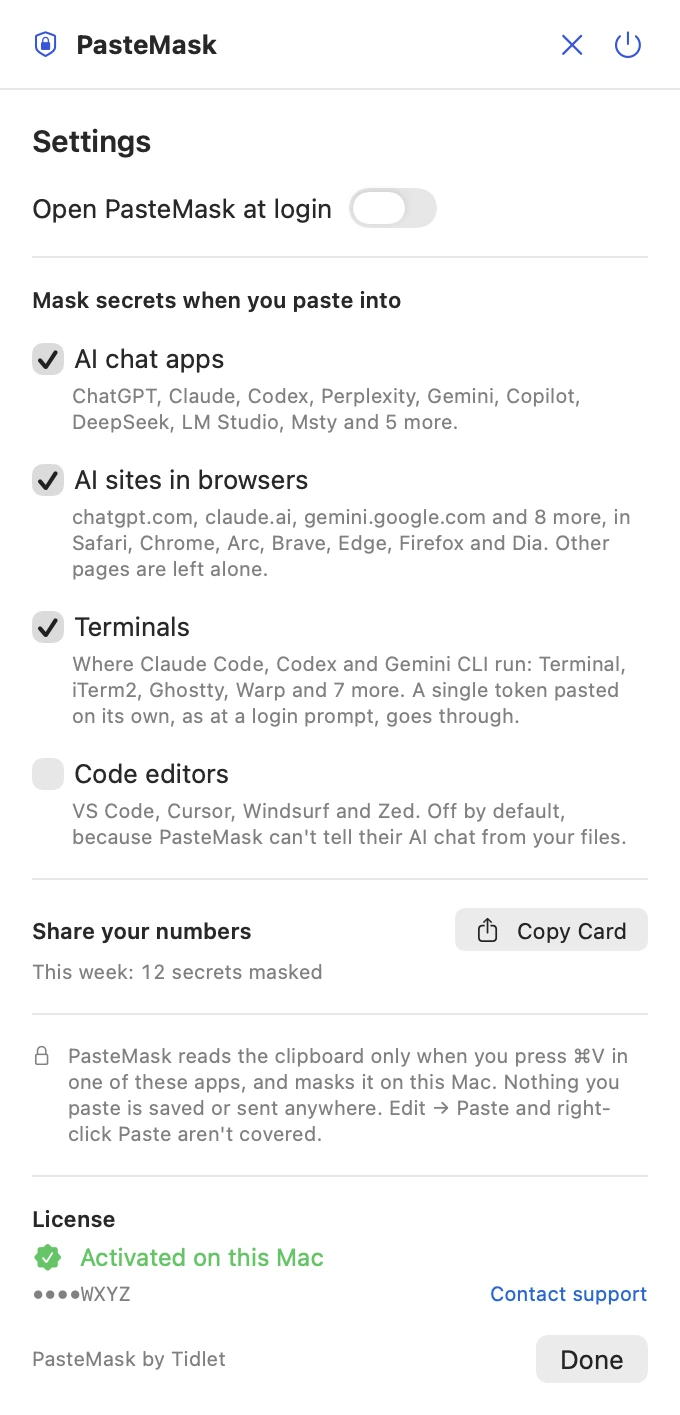
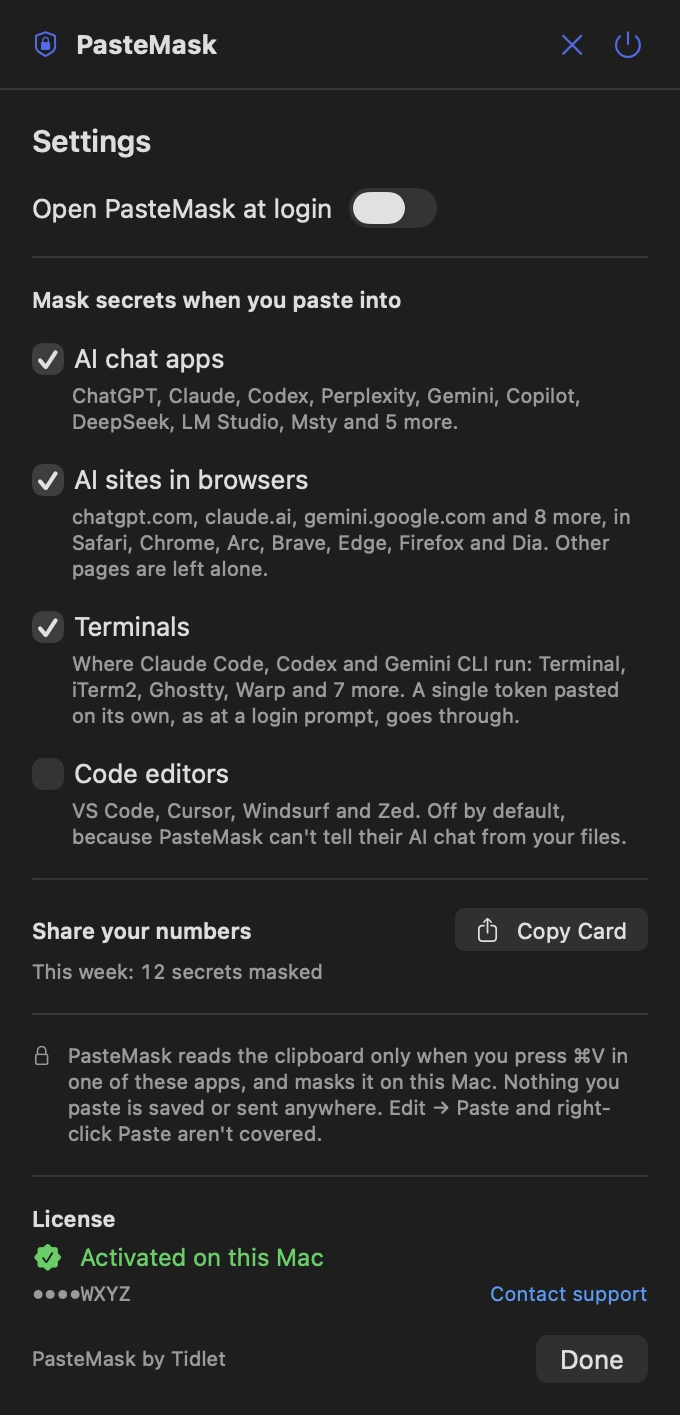
Settings on one screen
Where it masks: AI chat apps, AI sites in browsers, terminals, and code editors (off by default). Open at login, a card to share how many secrets it masked, and your license.
Features
Everything it does.
The full list fits on one screen.
Masks, doesn't mangle
STRIPE_SECRET_KEY: sk_live_•••••••• and postgres://app:••••••••@db.internal:5432/acme. Key names, quotes, URL structure and token prefixes stay.
Knows the key formats
AWS, GitHub, GitLab, Slack, Stripe, OpenAI, Anthropic, Google, SendGrid, Twilio, npm, PyPI, Hugging Face, Shopify, DigitalOcean, Telegram, Discord webhooks, JWTs and Azure keys.
And the ones without a format
Values of keys named password, secret, token, api_key or client_secret, passwords in URLs and connection strings, Authorization headers, Kubernetes Secret data and private keys, with their BEGIN and END lines kept.
Leaves placeholders alone
${{ secrets.GITHUB_TOKEN }} and changeme aren't secrets, so they paste as they are.
Your clipboard keeps the original
The masked copy is on the clipboard for that one paste. 0.8 s later the original is back.
Only where it matters
AI chat apps, AI sites (chatgpt.com, claude.ai, gemini.google.com, perplexity.ai, Copilot, DeepSeek, Grok, Mistral, AI Studio, Poe) and terminals. In a terminal, a single bare token pastes as is, for login prompts.
Privacy
What PasteMask sees, and what it sends.
The app has no analytics, ads or tracking. The full details are in our privacy policy.
What it reads
- The clipboard, only at the moment you press ⌘V in an AI app, an AI site or a terminal.
- The front browser window's title and page address, to tell an AI site from any other page.
- That you pressed ⌘V, through the Accessibility permission.
What it sends
- Your license key, an activation ID and your Mac's name, to Dodo Payments, to check the key.
- Nothing else, ever.
What it never does
- Save what you paste or the secrets in it. The list keeps only the kinds, the app and the time.
- Send your clipboard anywhere.
- Track how you use it.
Price
$9one time, all 9 tools
- PasteMask and 8 more tools in one app, Tidlet.
- One payment of $9. No subscription.
- A license key by email, for 2 Macs.
- Refund within 14 days if it doesn't work on your Mac and we can't fix it.
- Help by email at hello@tidlet.com.
Also in Tidlet: DeskClean, ShotName, SnapPaste, CleanCopy, TalkShare, SlideFind, HushMic and ClapRemote.
System requirements
- macOS
- 13 Ventura or later
- Chip
- Apple silicon and Intel (universal)
- Download
- Tidlet.dmg · 5.5 MB, all 9 tools
- Version
- Tidlet 1.0.4
- Permissions
- Accessibility, to see when you press ⌘V. macOS asks once.
- Network
- License check only
- Masks in
- AI chat apps, AI sites in browsers and terminals (settings, on); code editors (setting, off)
- Paste original
- ⌃⌥⌘V, once
- Speed
- About 40 ms to scan 200 KB
Does the AI still understand my config?
Yes. Only the secret values are masked. Key names, quotes, URL structure and token prefixes stay, so STRIPE_SECRET_KEY: sk_live_•••••••• still tells the AI it's a live Stripe key.
What if I need to paste the real key?
Click Paste Original Next Time in the panel, or press ⌃⌥⌘V, and the next paste goes through unmasked. Your clipboard holds the original either way.
Does it catch every paste?
Only ⌘V. Edit > Paste, right-click Paste and drag and drop go through unmasked. In a browser, a tab whose title doesn't name the AI can be missed if the browser doesn't share the page address.
Will it catch a password on its own?
Not a bare one. A password with no key name around it looks like any other word. With a name (password=…, DB_PASSWORD: …) or inside a URL or connection string, it's masked.
What about my clipboard manager?
PasteMask puts the masked copy on the clipboard for that one paste. A clipboard manager may briefly see it, unless it respects transient items.
Does it slow down pasting?
No. Scanning 200 KB of text takes about 40 ms, on your Mac.
Is it safe to download?
Yes. The app is signed with our Apple Developer ID and notarized by Apple, which checks it for malware before it can open on your Mac.
Can I buy PasteMask on its own?
PasteMask comes in Tidlet, one menu bar app with all nine Tidlet tools. $9 unlocks every one of them; switch on PasteMask and leave the rest off if you like.
Is there a free trial?
Yes. Every tool works for 3 days from the first launch, with no key and no account. The trial runs on your Mac and sends nothing. After that the tools pause until you enter a license key. If Tidlet doesn't work on your Mac and we can't fix it, we refund you within 14 days.
How many Macs can I use it on?
One key activates Tidlet on 2 Macs. New Mac? Email hello@tidlet.com with your receipt and we'll free a slot.
PasteMask and 8 more, $9.
No subscription.
One key unlocks every Tidlet tool, on 2 Macs.