 tidlet
Cough, sneeze, dog barks: your mic is already muted.
Somebody coughs on every call, and sometimes it's you. HushMic hears the cough, the sneeze or the dog through your mic, on your Mac, and mutes the mic at the Mac's input until 1.5 s after the sound. Talking, laughing and typing never mute.
macOS 14 or later · Apple silicon & Intel · one key, 2 Macs
How it works
Three steps, most of them yours.
- Join a call
Zoom, Meet, Teams, Slack, FaceTime, Discord or Webex. HushMic listens while the call app has your mic open.
- Cough
Apple's sound classifier, on your Mac, hears it. Your mic is muted, and the menu bar icon turns red.
- Keep talking
1.5 s after the last sound the mic is back on. A bark that keeps going mutes again within half a second.
A closer look
The whole app, screen by screen.
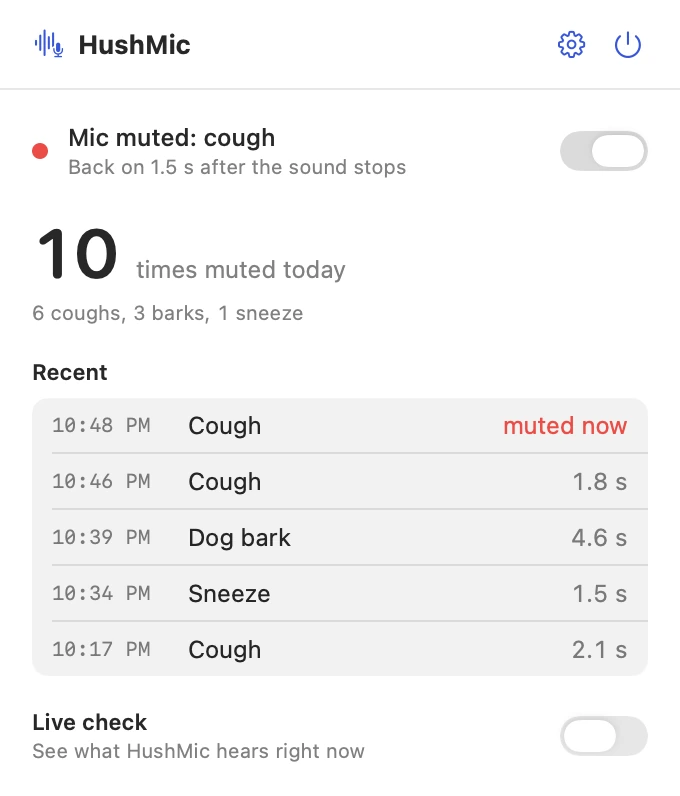
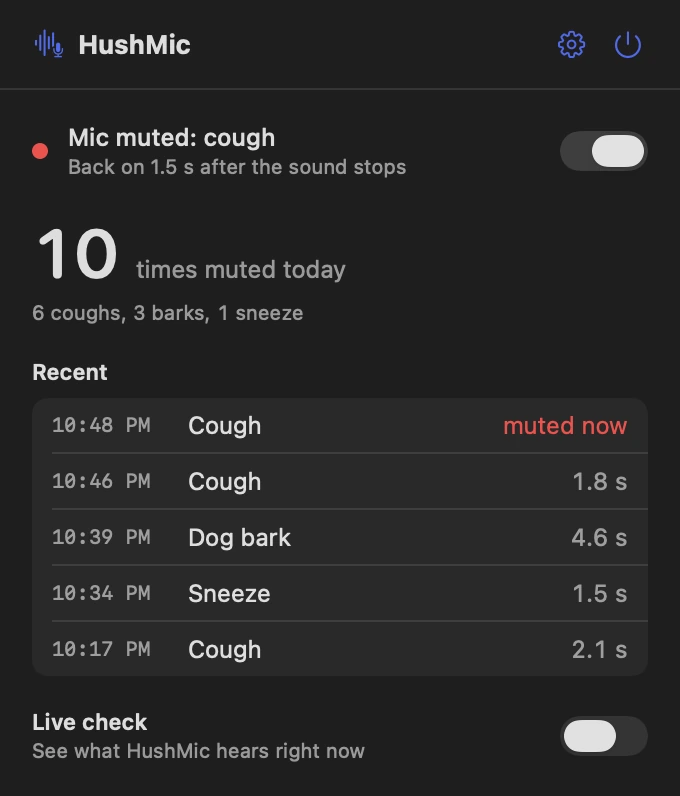
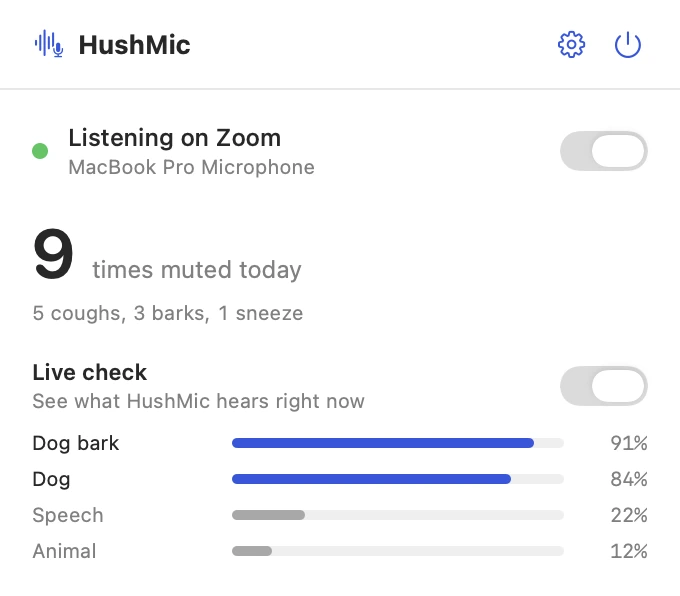
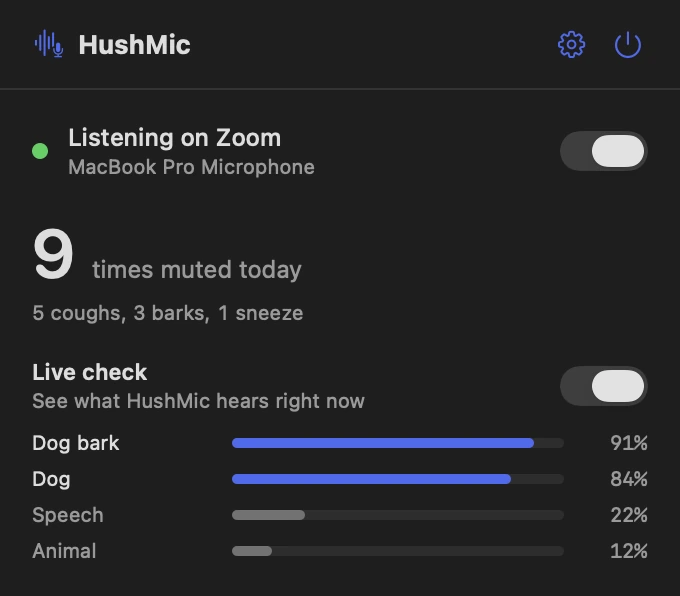
These are real screens from HushMic, in light and dark to match your Mac. In Tidlet they open from the Tidlet icon in your menu bar.
Muted, and it says why
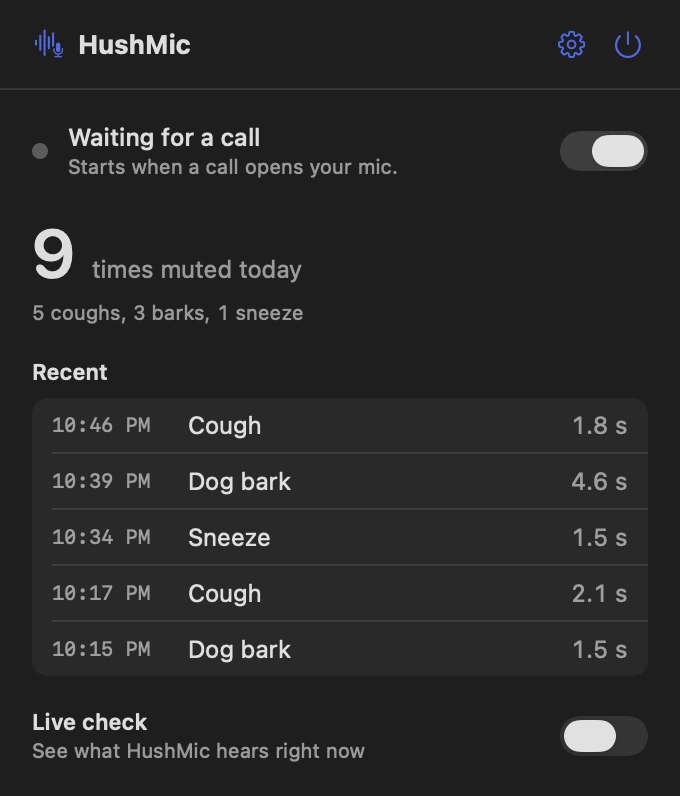
The panel shows what it heard and when the mic comes back, with today's count and the last five sounds.
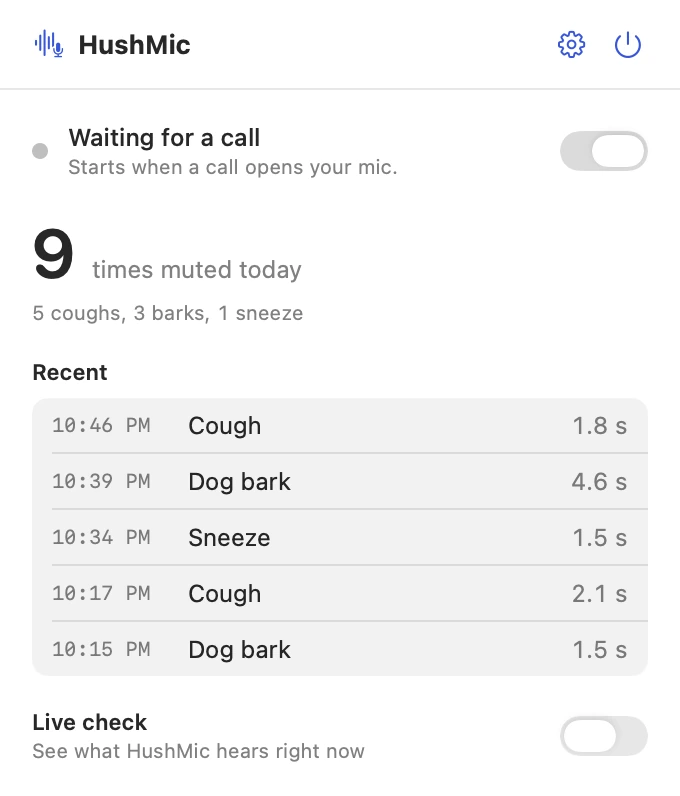
Closed between calls
With nobody on a call, the mic is closed and the panel says it's waiting. It starts when a call app opens your mic.
See what it hears
Turn on Live check and the panel shows what the classifier hears right now, with a score for each sound.
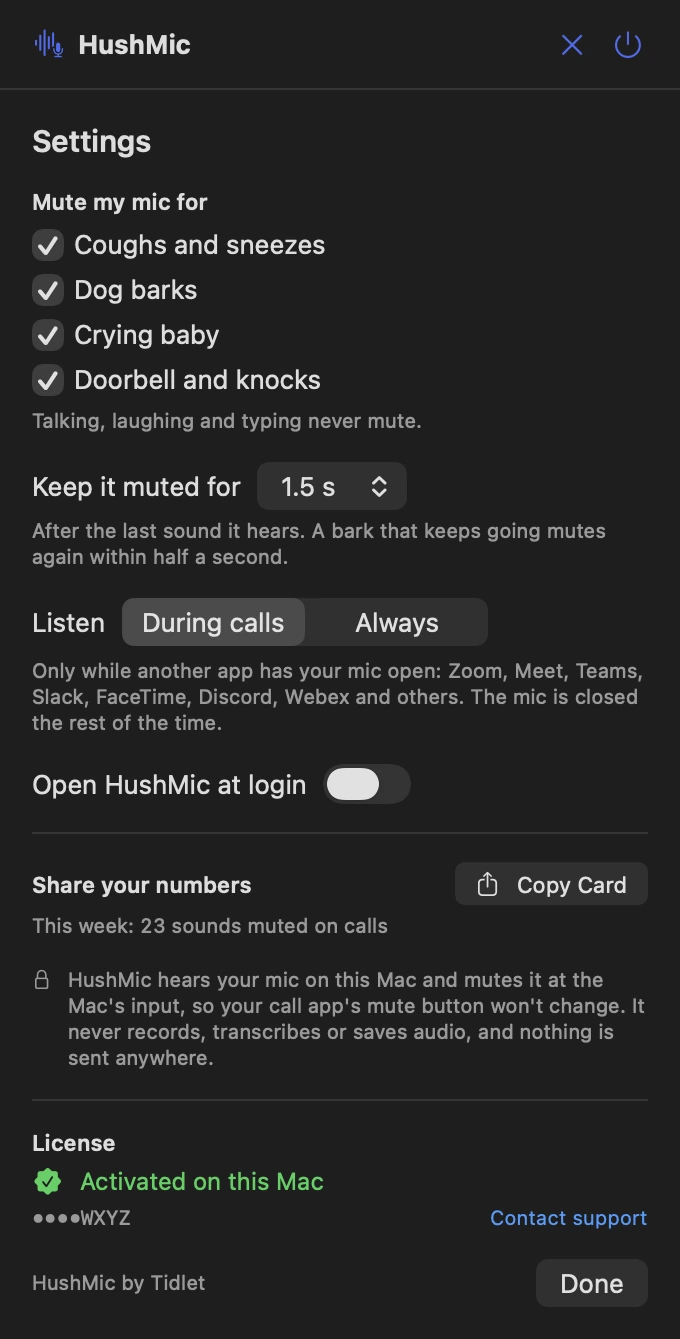
Your sounds, your timing
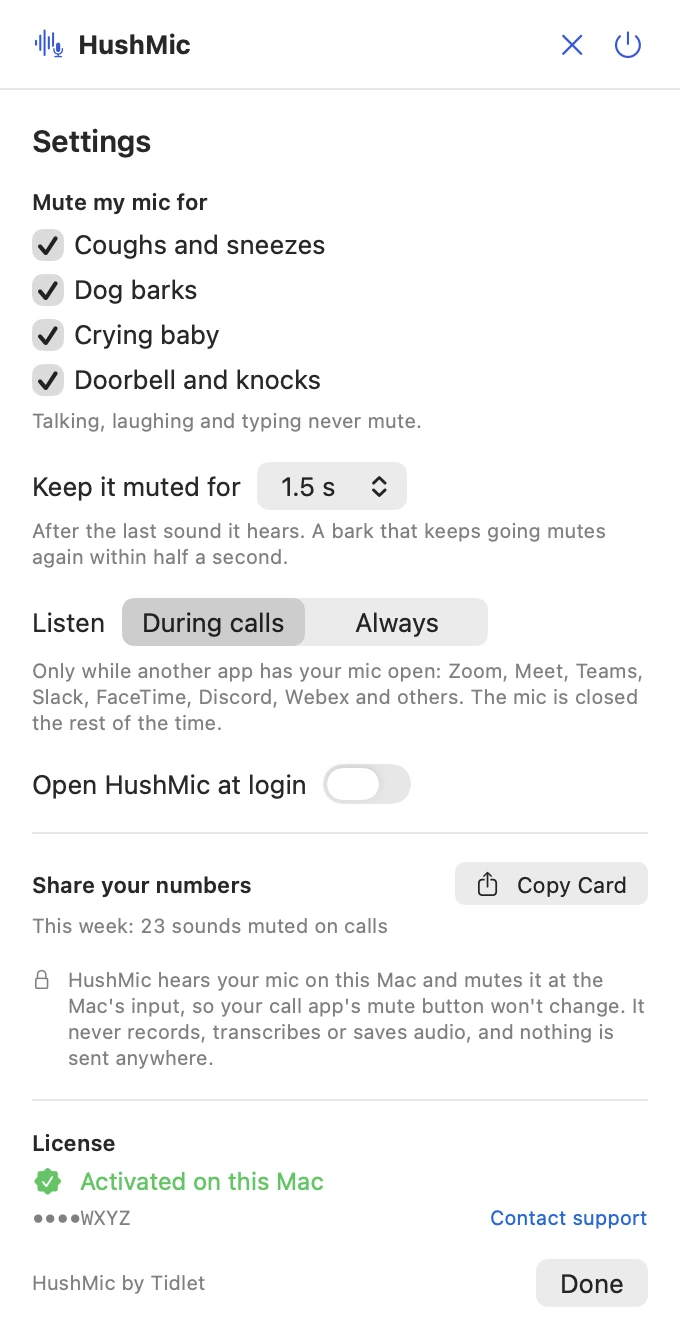
A switch for each group: coughs and sneezes, dog barks, crying baby, doorbell and knocks. Keep it muted for 1, 1.5, 2 or 3 s. Listen during calls, or always.
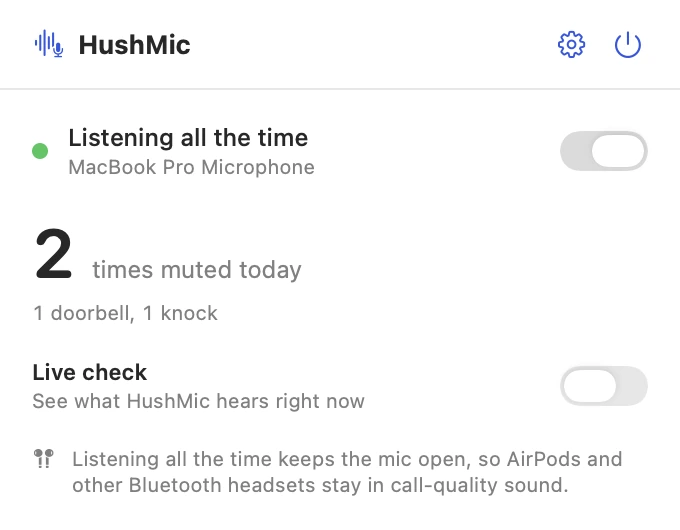
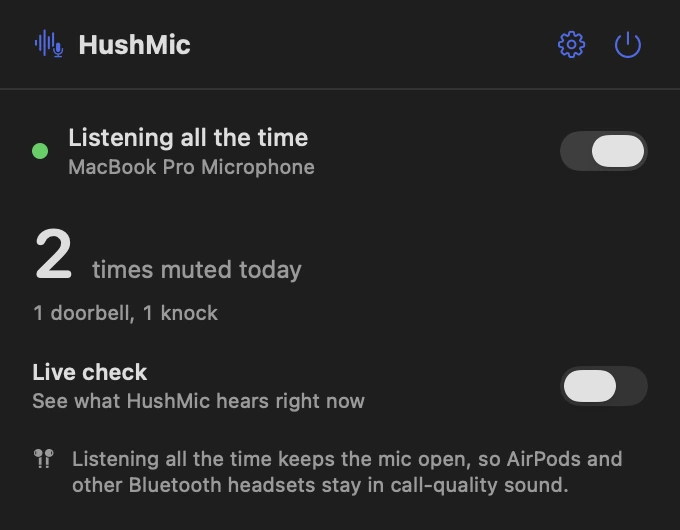
Always on, if you want it
Listen all the time instead of only on calls. While the mic is open, AirPods switch to call-quality sound, and the panel tells you so.
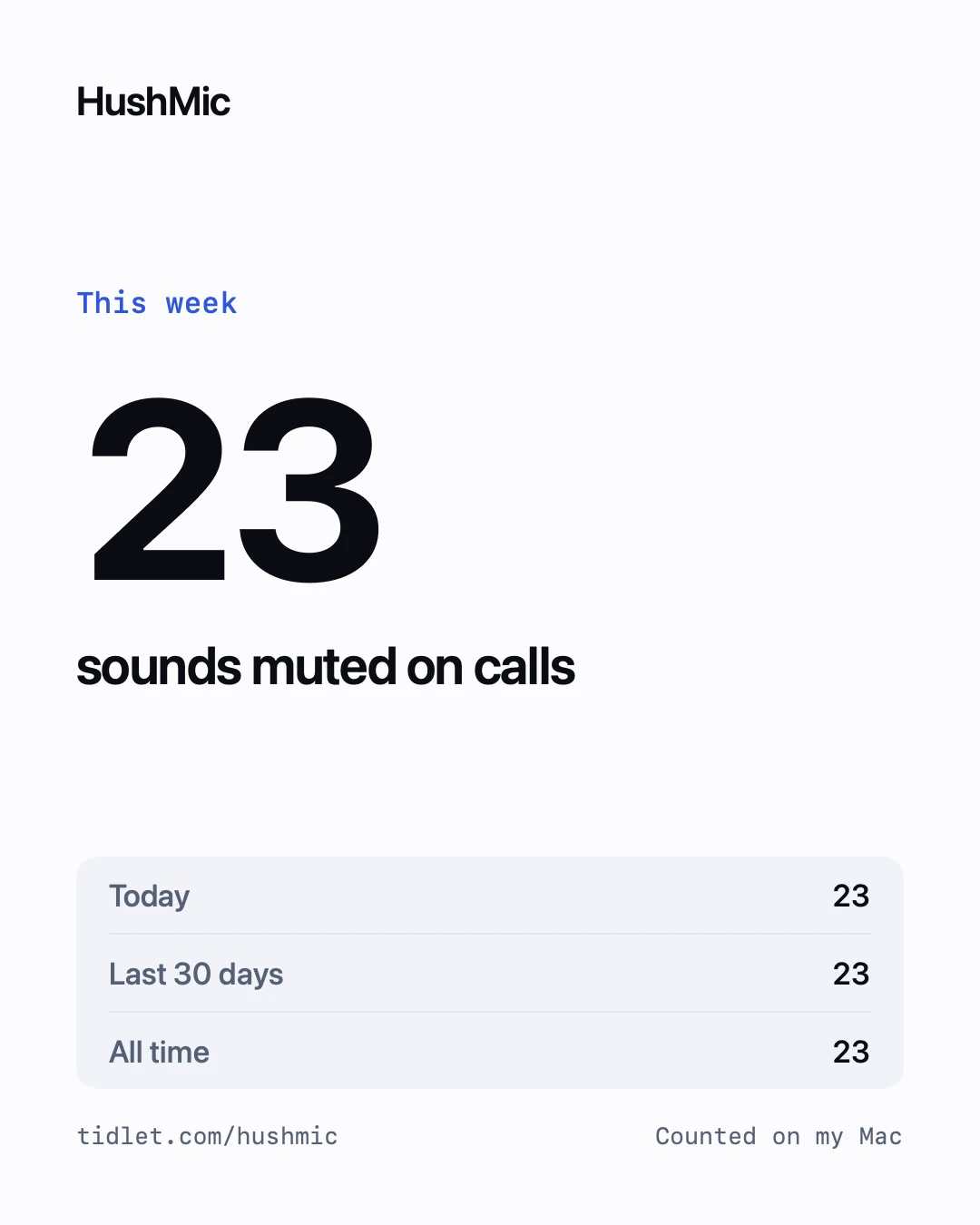
A card worth posting
Copy Card puts your week on your clipboard as a picture: how many sounds it muted on calls, and which.
Features
Everything it does.
The full list fits on one screen.
Six sounds, not your voice
Coughs, sneezes, dog barks, a crying baby, the doorbell and knocks. Talking, laughing and typing never mute.
Muted at the Mac's input
It mutes the mic itself, so it works with every call app. Your call app's own mute button doesn't change.
Back on by itself
1.5 s after the last sound, or 1, 2 or 3 s if you prefer. A bark that keeps going mutes again within half a second.
Respects your mute
It never mutes a mic you already muted, and leaves it alone if you change it while muted. If the app quits or crashes, it puts your mic back.
Only during calls
By default it listens only while another app has your mic open. The rest of the time the mic is closed.
Red means muted
The menu bar icon turns red while your mic is muted, so you can see it at a glance.
Privacy
What HushMic sees, and what it sends.
The app has no analytics, ads or tracking. The full details are in our privacy policy.
What it reads
- Your mic's audio, in memory only, to tell a cough from talking. Apple's sound classifier does it on your Mac.
- Which apps have the mic open, to know a call is on.
What it sends
- Your license key, an activation ID and your Mac's name, to Dodo Payments, to check the key.
- Nothing else, ever.
What it never does
- Record, transcribe, save or send audio. Not a second of it.
- Keep more than counts: the time, the sound and how long it muted.
- Track how you use it.
Price
$9one time, all 9 tools
- HushMic and 8 more tools in one app, Tidlet.
- One payment of $9. No subscription.
- A license key by email, for 2 Macs.
- Refund within 14 days if it doesn't work on your Mac and we can't fix it.
- Help by email at hello@tidlet.com.
Also in Tidlet: DeskClean, ShotName, SnapPaste, CleanCopy, TalkShare, SlideFind, PasteMask and ClapRemote.







System requirements
- macOS
- 14 Sonoma or later
- Chip
- Apple silicon and Intel (universal)
- Download
- Tidlet.dmg · 5.5 MB, all 9 tools
- Version
- Tidlet 1.0.4
- Permissions
- Microphone. macOS asks once.
- Network
- License check only
- Sounds
- Coughs and sneezes, dog barks, crying baby, doorbell and knocks (a switch each)
- Muted for
- 1, 1.5, 2 or 3 s after the last sound
- Listens
- During calls (Zoom, Meet, Teams, Slack, FaceTime, Discord, Webex and others), or always
Does the start of a cough get through?
Yes, about the first half second. HushMic reacts after it hears the sound, so the start of a cough reaches the call. The rest of it doesn't.
Why doesn't my Zoom mute button change?
HushMic mutes your Mac's input, not the call app, which is why it works with every call app. The call app's button stays as it was while the others hear silence.
Will it mute me when I talk or laugh?
No. Talking, laughing and typing never mute. It isn't perfect the other way: a crying baby is sometimes missed.
What if I mute myself?
HushMic never mutes a mic you already muted, and if you change the mic while it's muted, it leaves it alone. If the app quits or crashes, it puts your mic back.
Does it record my calls?
No. It reads your mic's audio in memory only, to classify it on your Mac, and never records, transcribes, saves or sends it. It keeps counts: the time, the sound and how long it muted.
Why do my AirPods sound worse?
Only in Always mode. While any app has the mic open, macOS switches AirPods to call-quality sound. With the default, During calls, the mic is open only when your call app has it open anyway.
Is it safe to download?
Yes. The app is signed with our Apple Developer ID and notarized by Apple, which checks it for malware before it can open on your Mac.
Can I buy HushMic on its own?
HushMic comes in Tidlet, one menu bar app with all nine Tidlet tools. $9 unlocks every one of them; switch on HushMic and leave the rest off if you like.
Is there a free trial?
Yes. Every tool works for 3 days from the first launch, with no key and no account. The trial runs on your Mac and sends nothing. After that the tools pause until you enter a license key. If Tidlet doesn't work on your Mac and we can't fix it, we refund you within 14 days.
How many Macs can I use it on?
One key activates Tidlet on 2 Macs. New Mac? Email hello@tidlet.com with your receipt and we'll free a slot.
HushMic and 8 more, $9.
No subscription.
One key unlocks every Tidlet tool, on 2 Macs.